

Forward invoices by email
Every inbox has its own email address. Forward a bill to it and it is read for you.
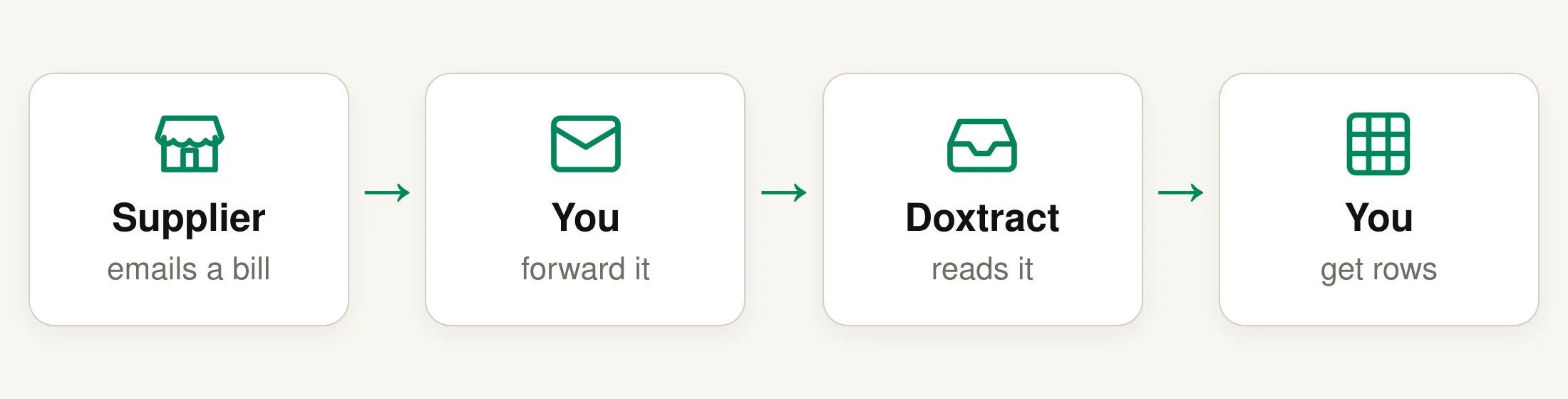
Forward one email
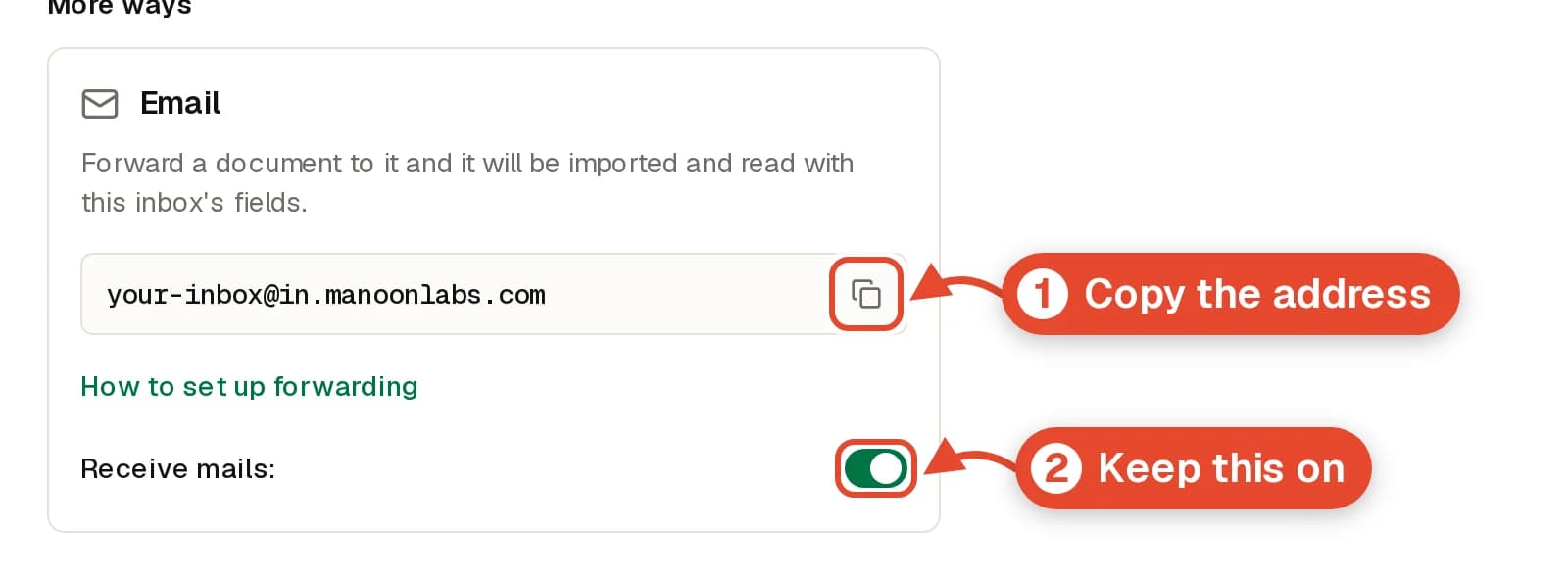
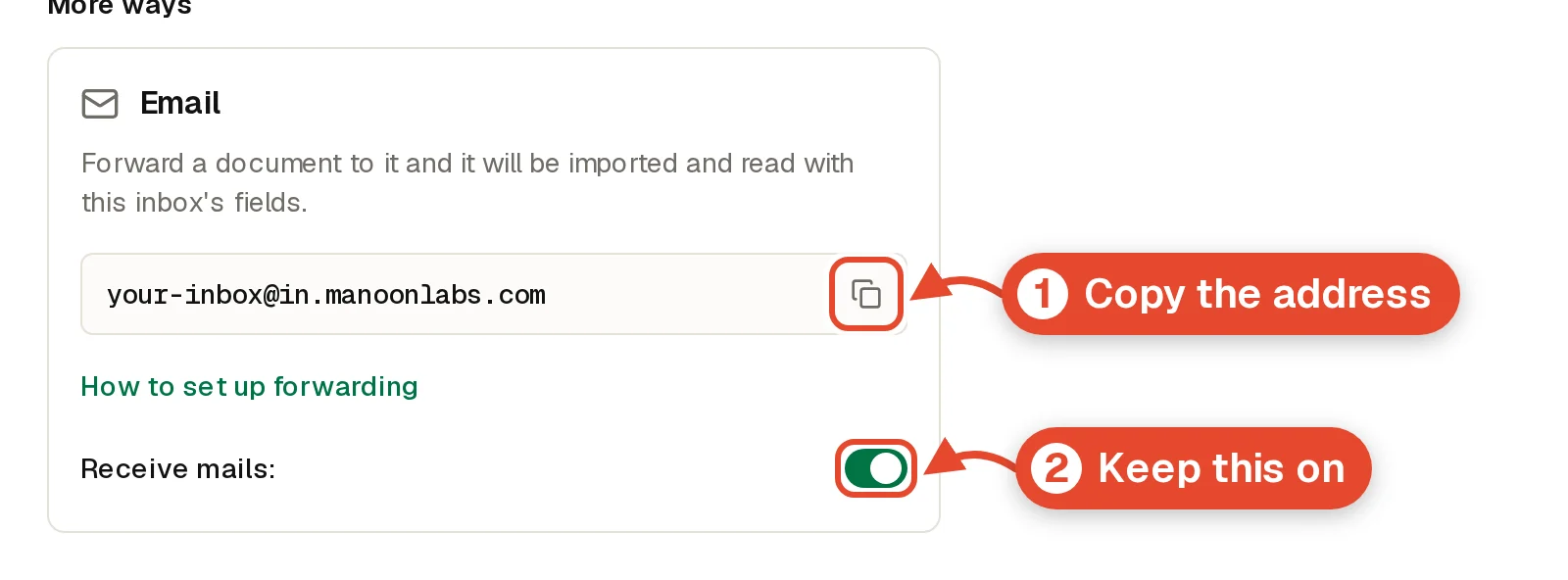
Copy your inbox address
Open your inbox, then Import. Find the Email card.
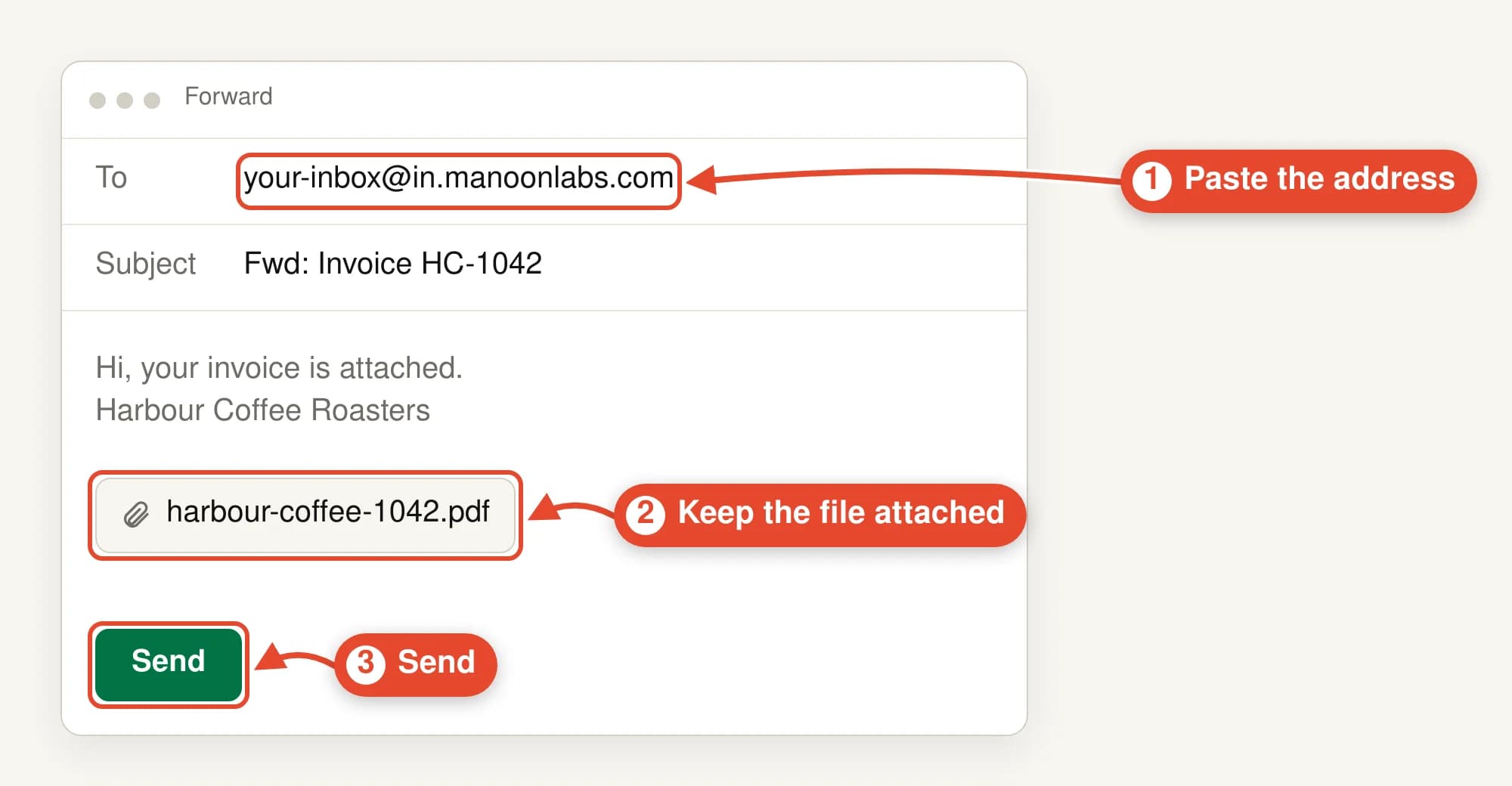
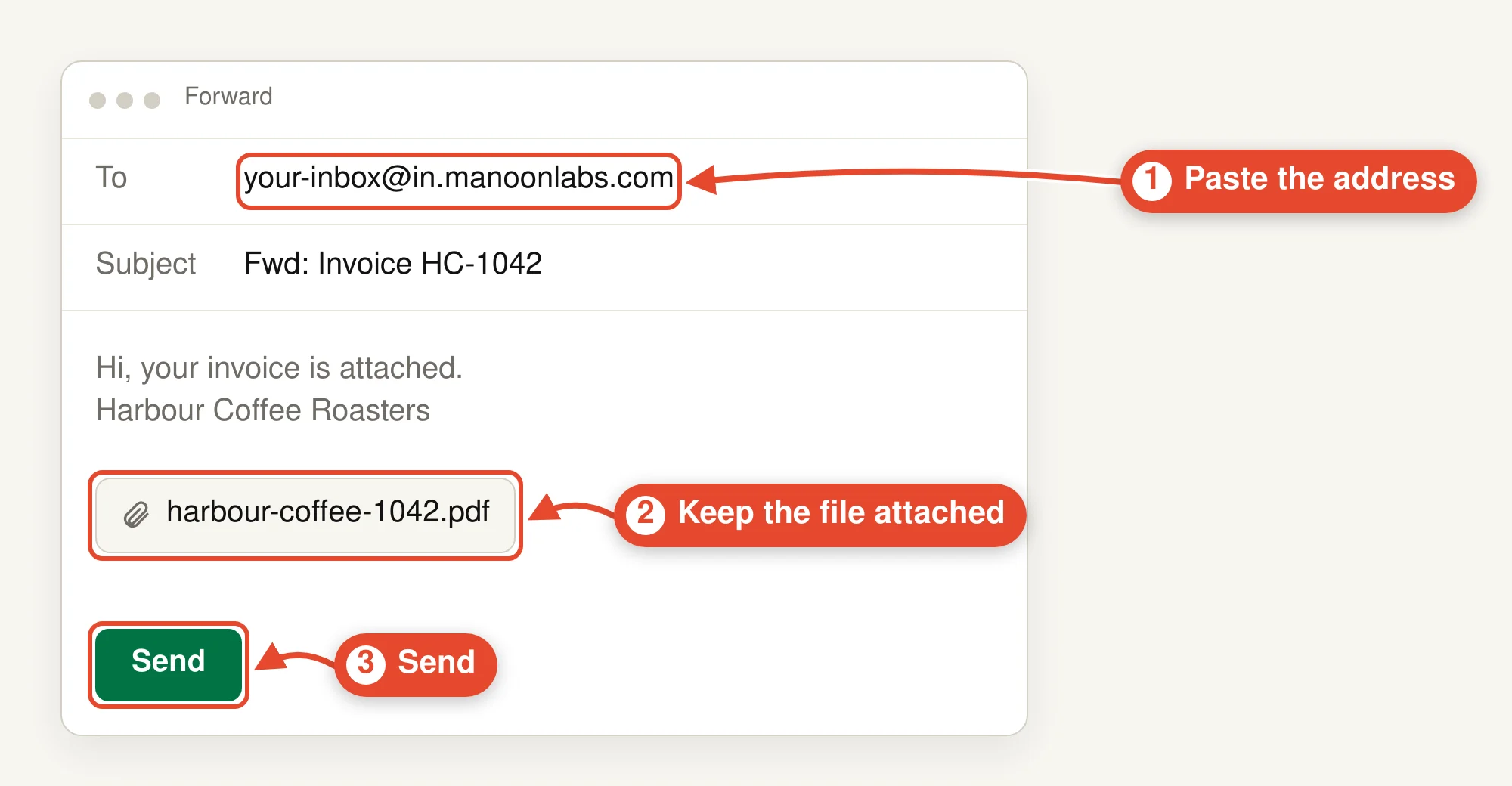
Forward the bill to it
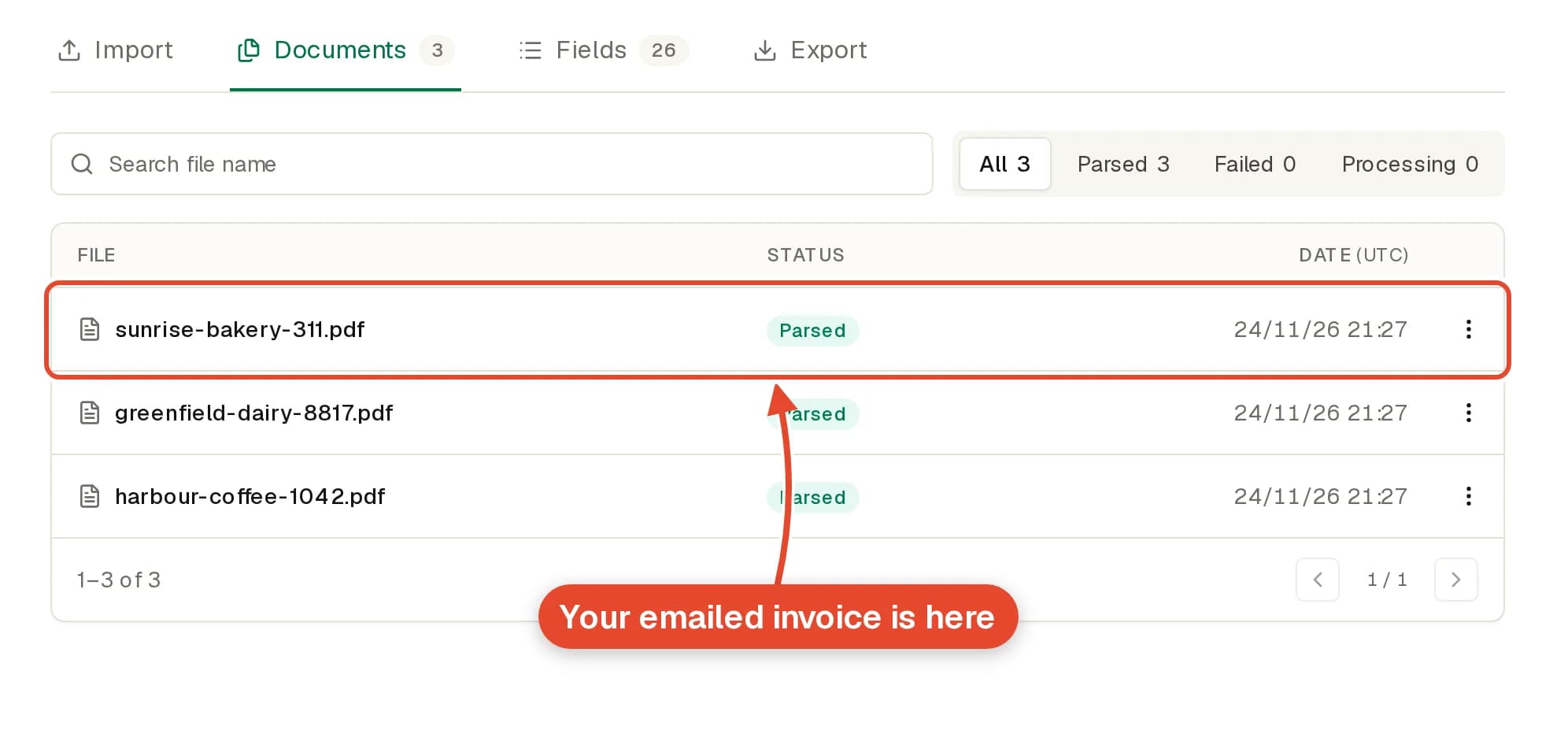
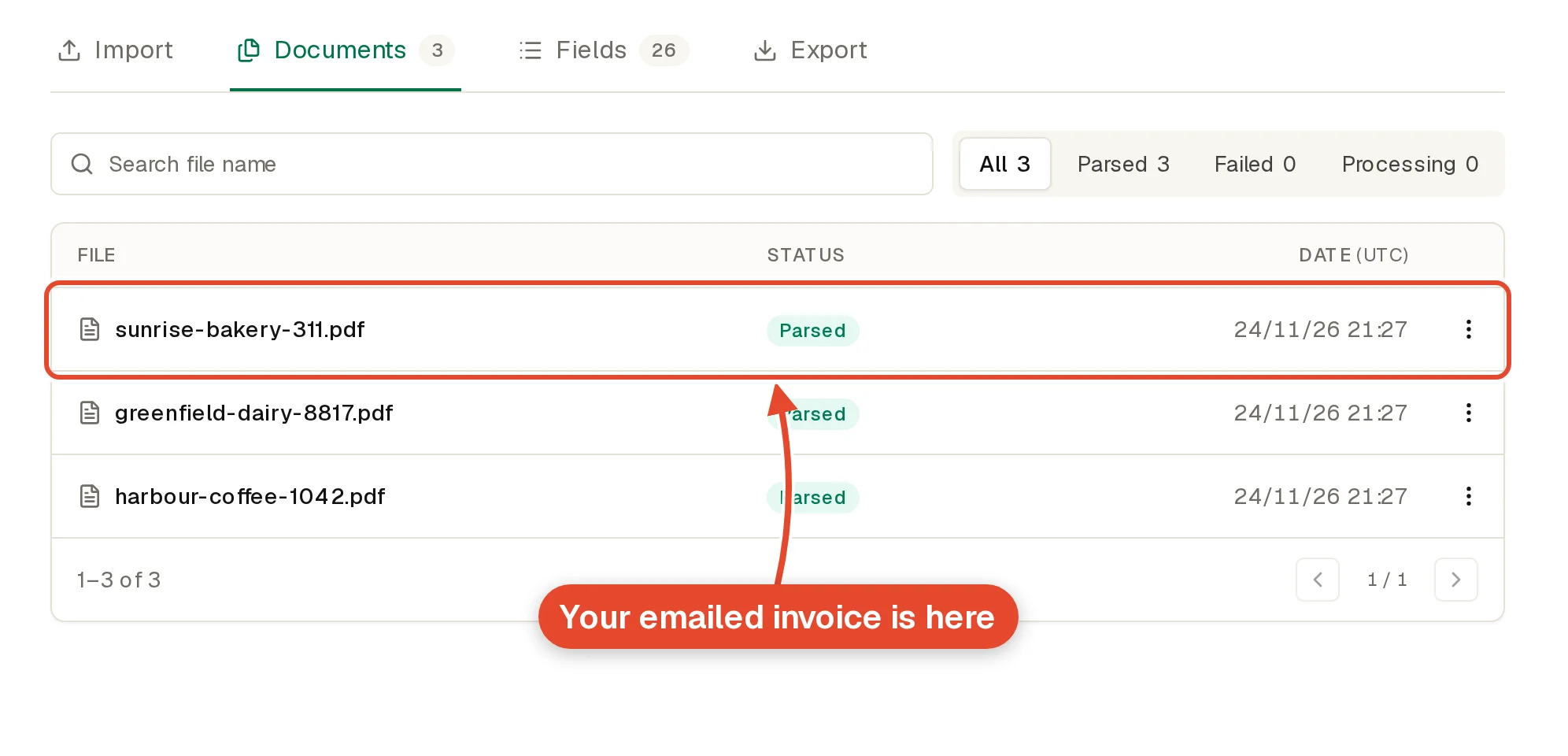
Open Documents. It is there
Emailing needs a free account. Trying Doxtract without signing in? Sign up first.
Easiest: let suppliers send it
Give suppliers your inbox address for their invoices. Then you do nothing.
Photos from your phone
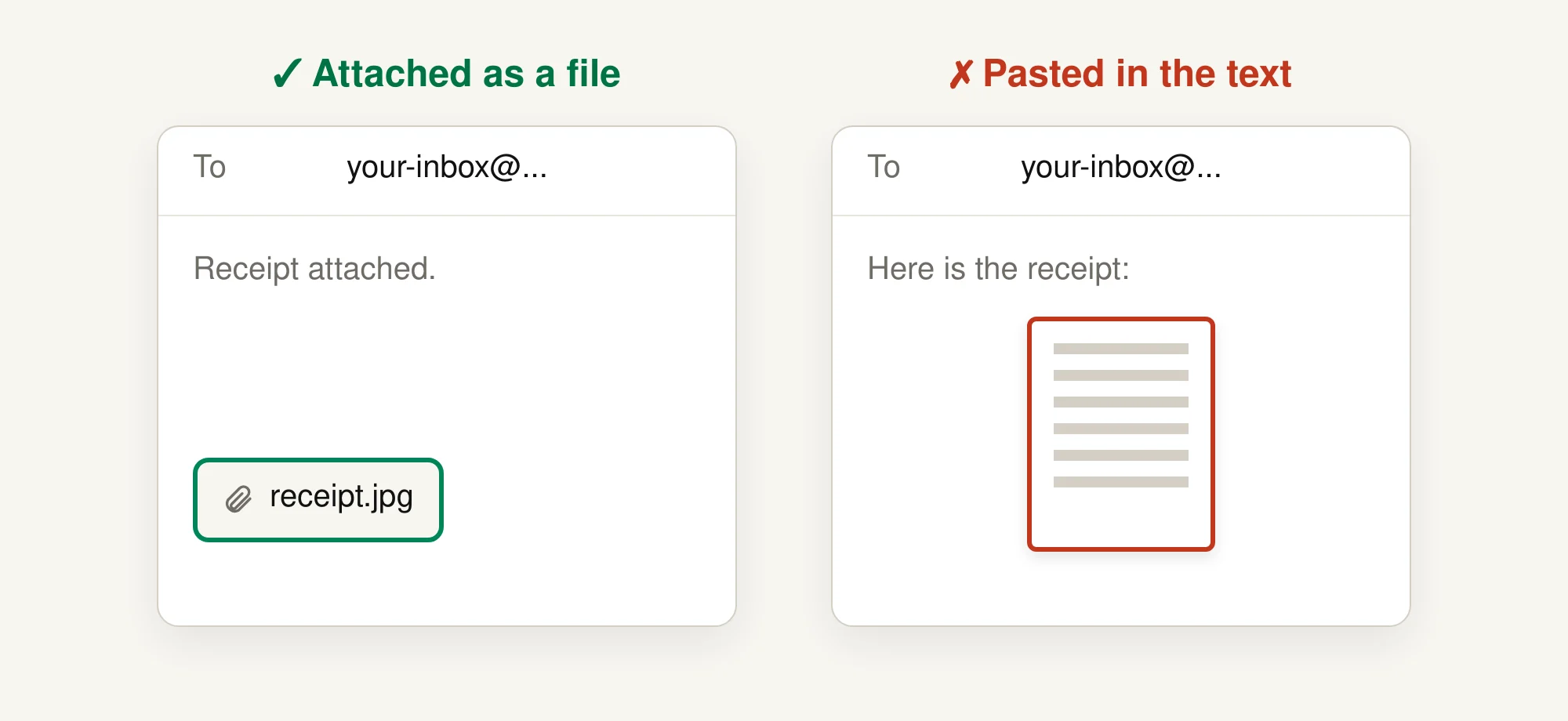
Attach the photo as a file. Photos inside the email text are skipped.
Outlook: forward automatically
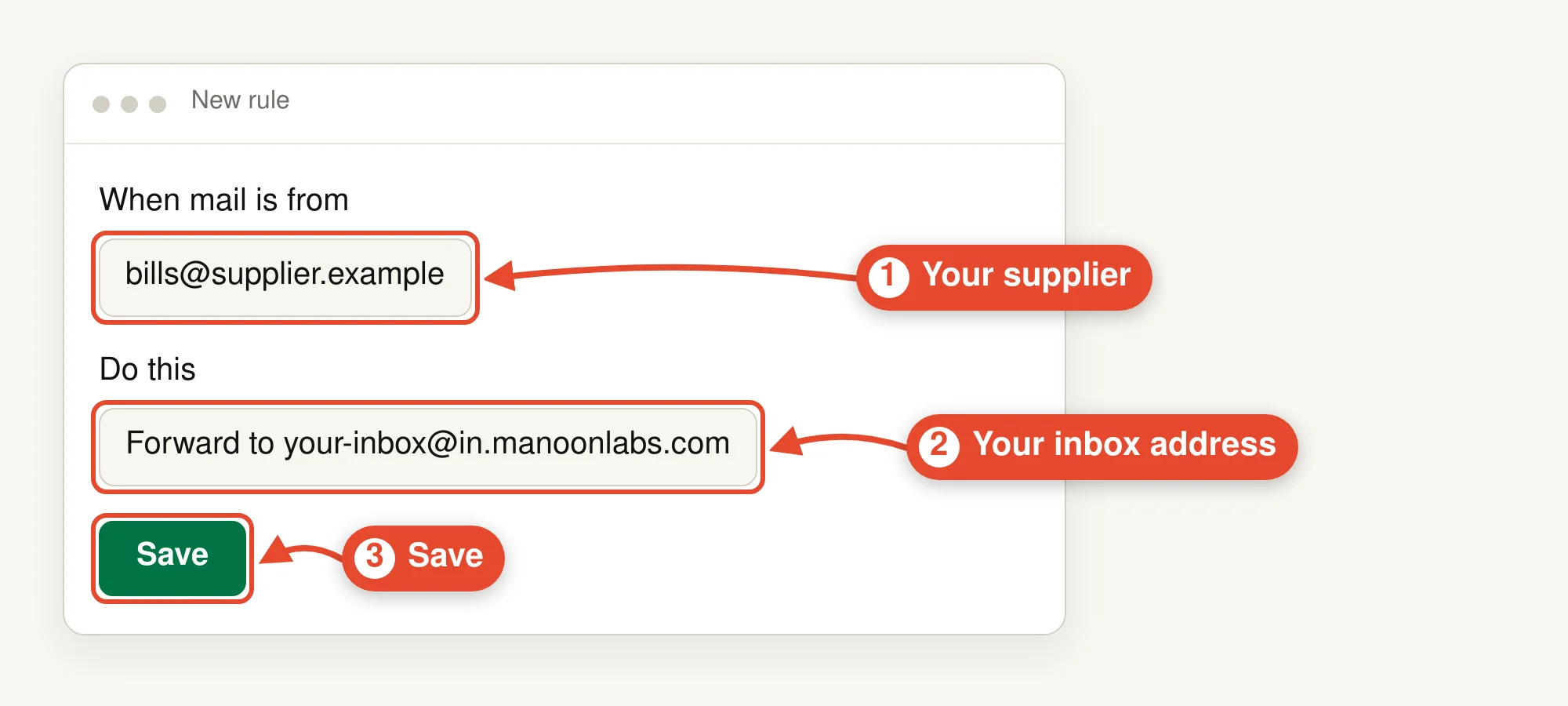
In Outlook on the web: Settings → Mail → Rules → Add new rule. Then send yourself one test bill.
Work account and nothing arrives? Microsoft 365 can block forwarding outside your company. Ask your admin to allow it.
Gmail
Forward by hand for now, as shown above. Gmail's automatic forwarding asks for a confirmation that does not reach you yet.
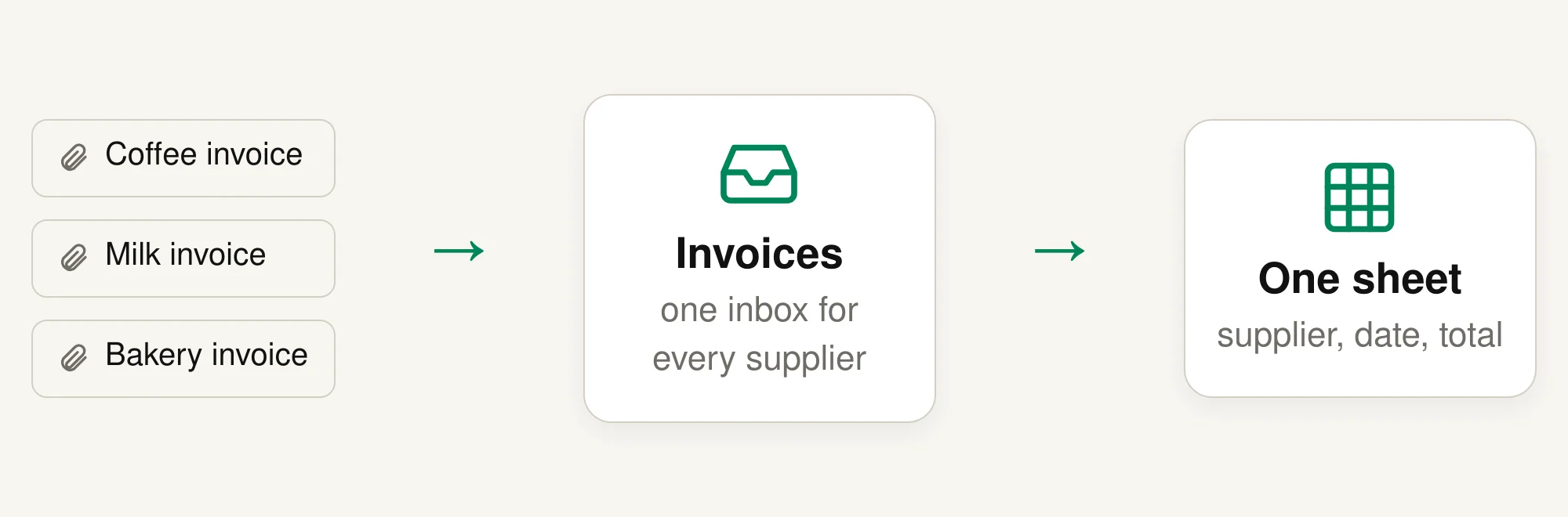
Example: a cafe
Example: a bookkeeper
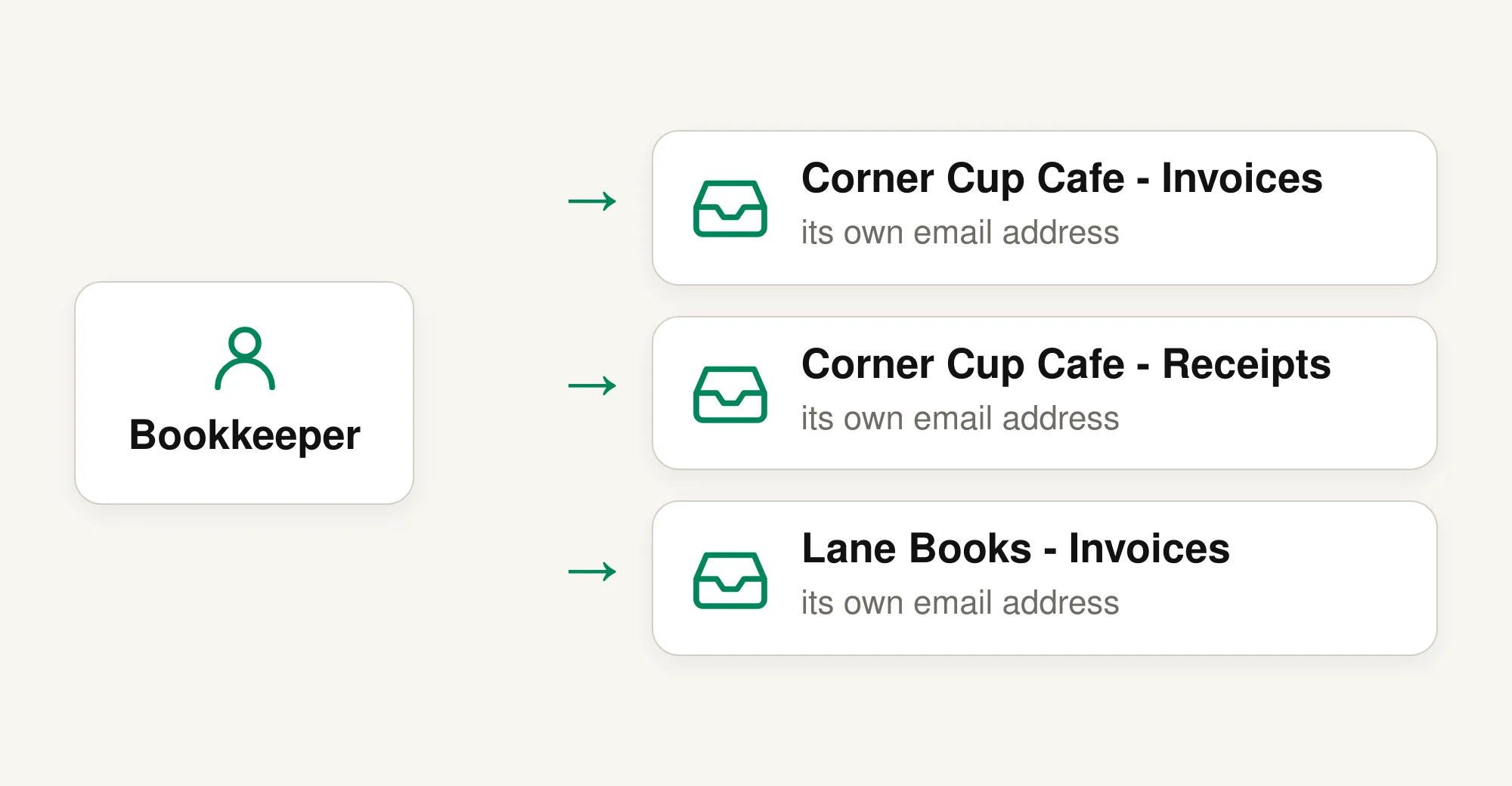
One inbox per client and kind of document. Put the client's name in the inbox name.