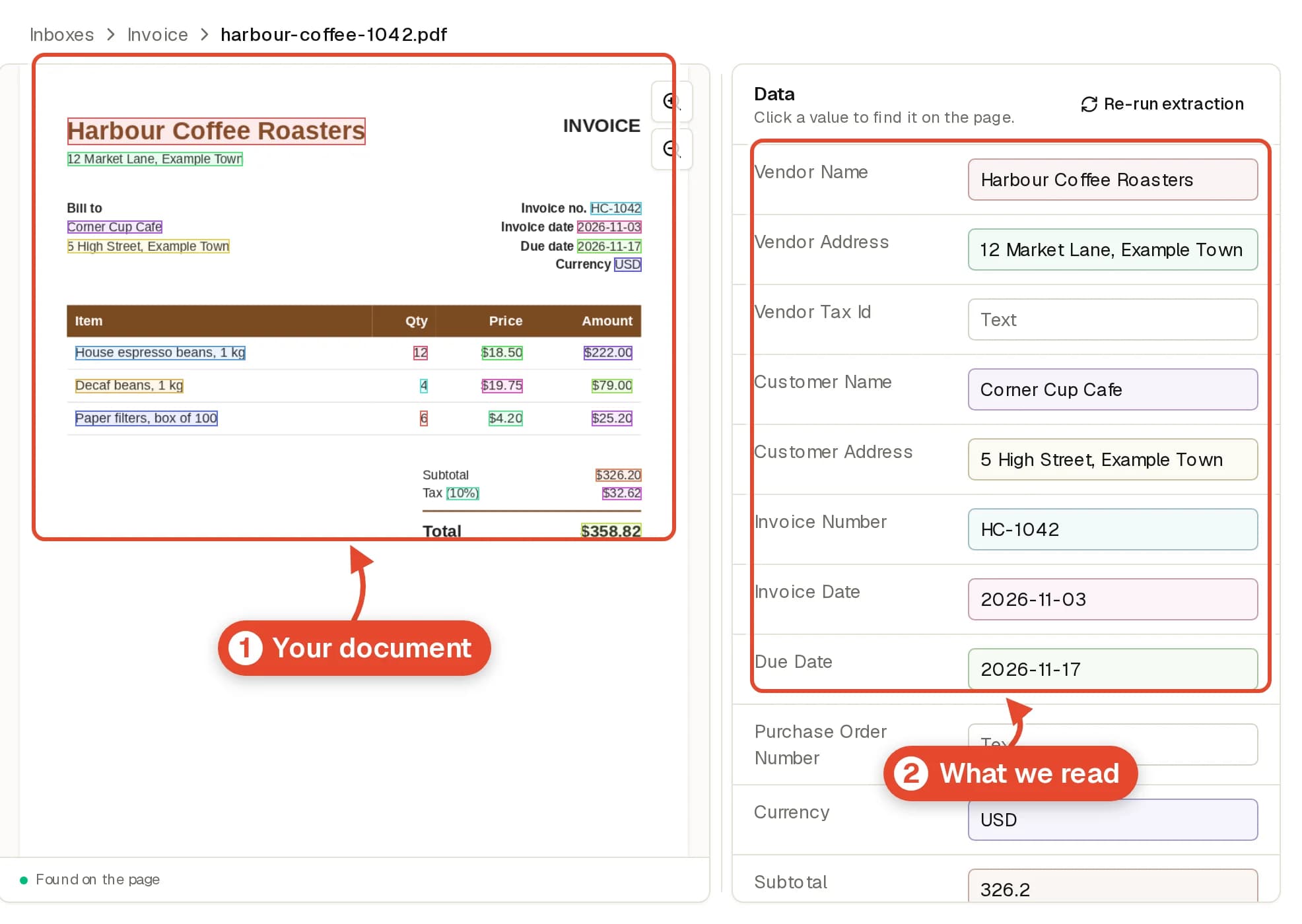
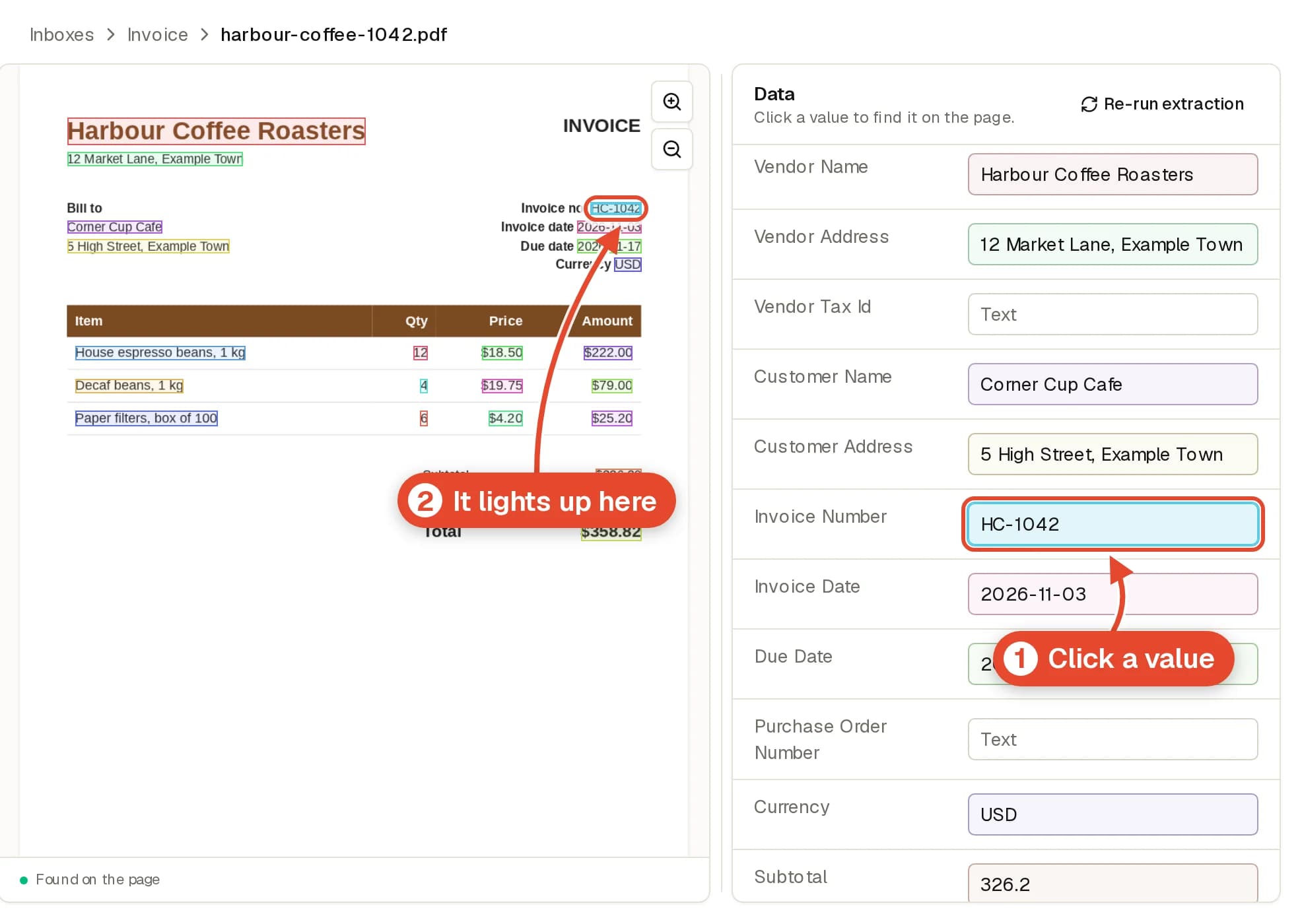
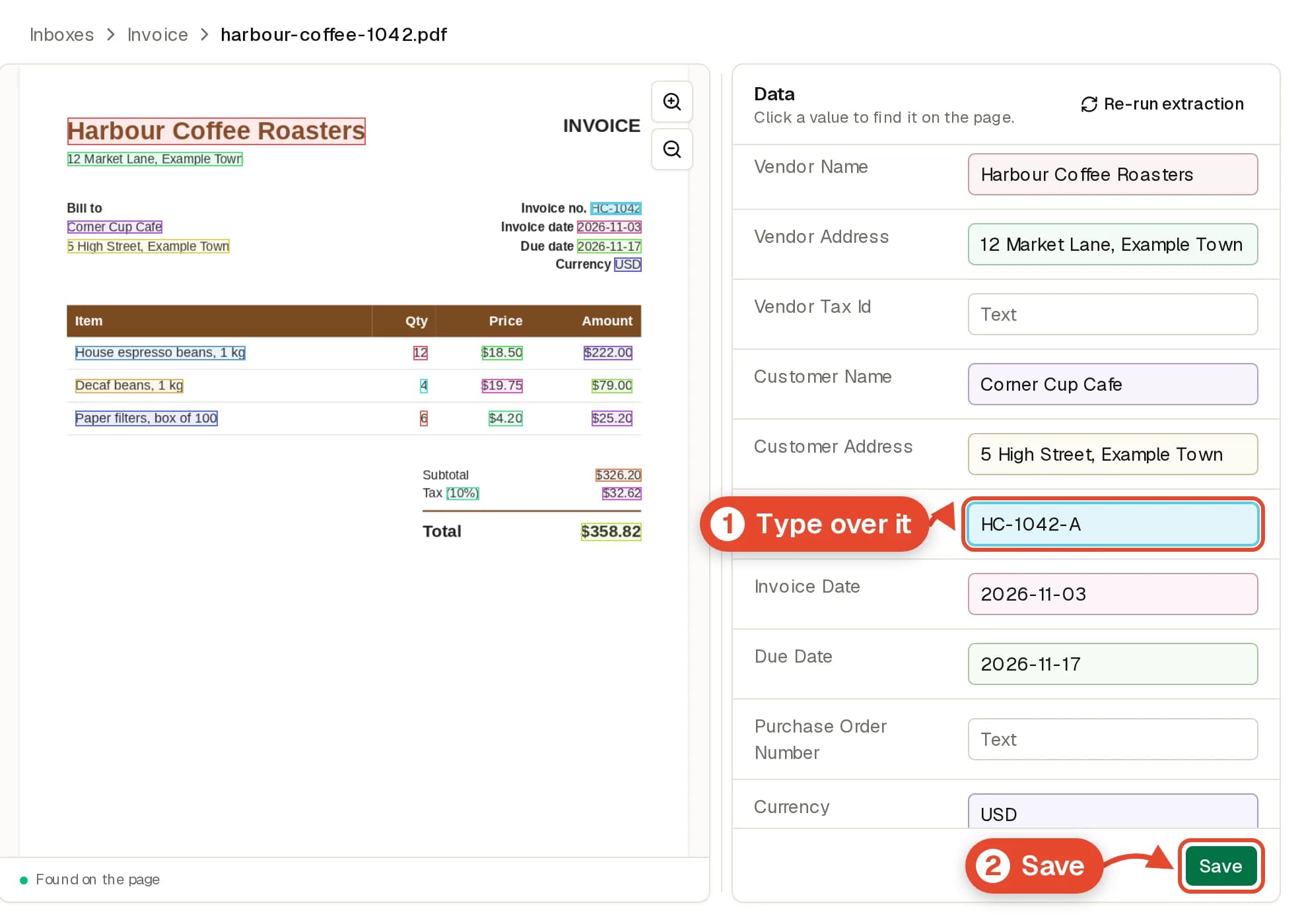
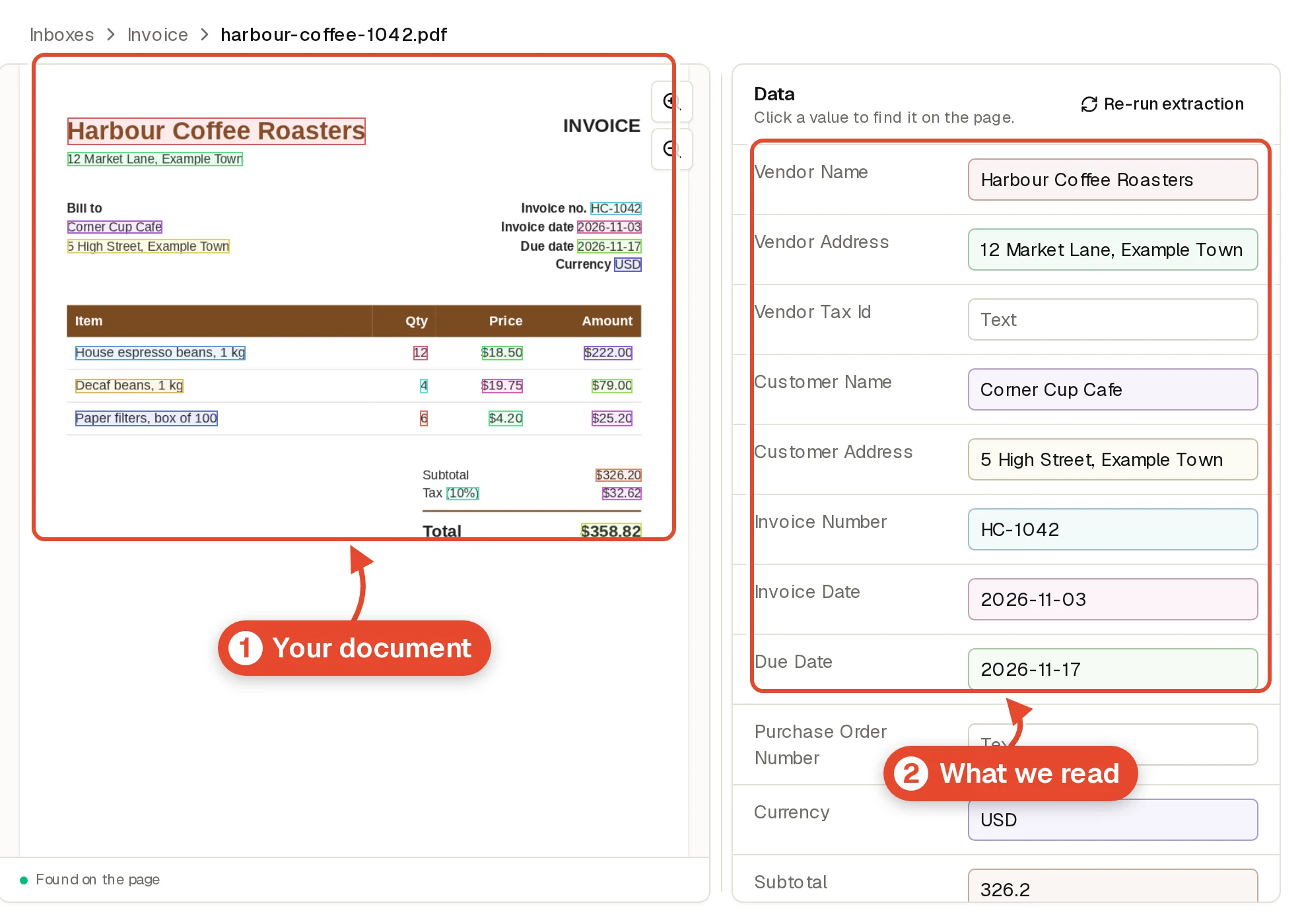
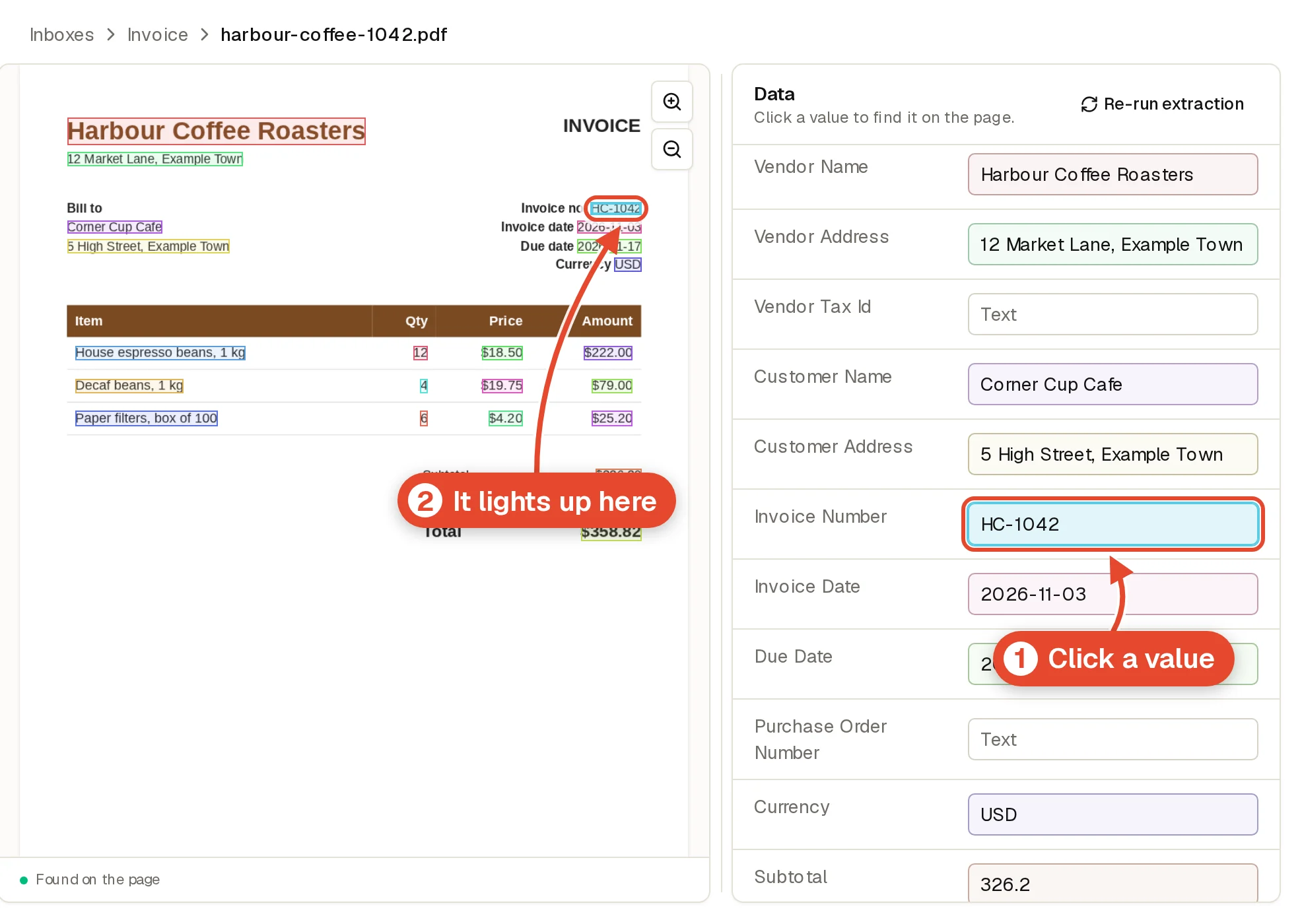
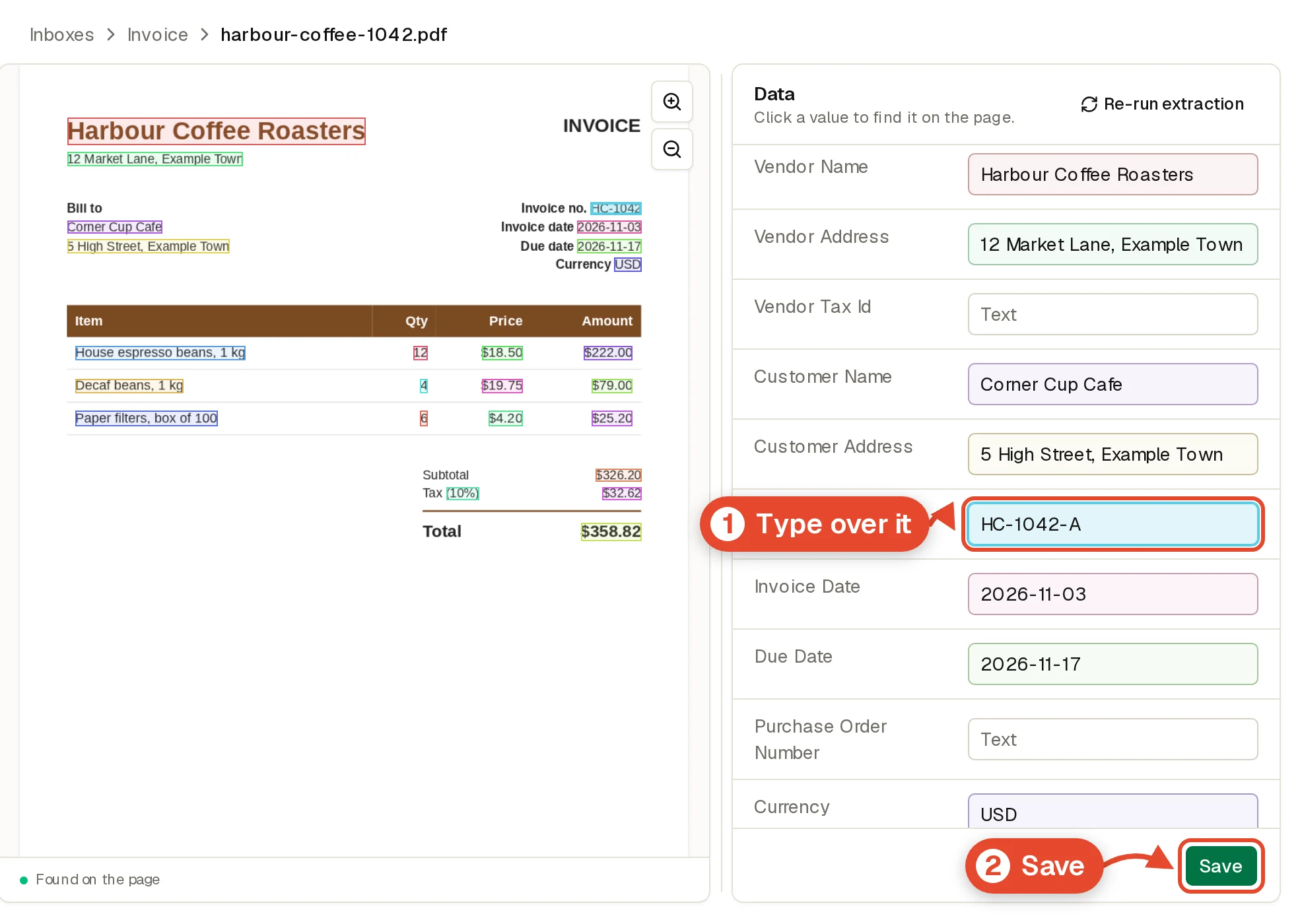
Docs menuAsk AICheck and fix valuesYour document on one side, what we read on the other.Step by step1Open a document2Click a value to find it on the page3Wrong? Type over it and saveSend by emailChoose what to read